
Applying data sets
Learn how to apply data sets to auto-fill multiple forms.
Data sets are a Premium feature of the AnyPDFFiller application. They allow you to quickly fill out the PDF forms with pre-established type of data.
When to use the Data sets feature?
For example, you might have some data about your family or employees (first and last name, address, phone number, etc.). Filling out information about your employees might be tedious if you do it a lot, in different forms.
With Data sets, you can enter that data once and save it as a data set. Then, when you will have a form with the correct fields, just select the appropriate data set and automatically fill the PDF form with the correct data.
How to create a data set?
-
Access the reusable fields settings page. Go to My Account and then select the Fields tab.
-
Press the Manage Data Sets button.
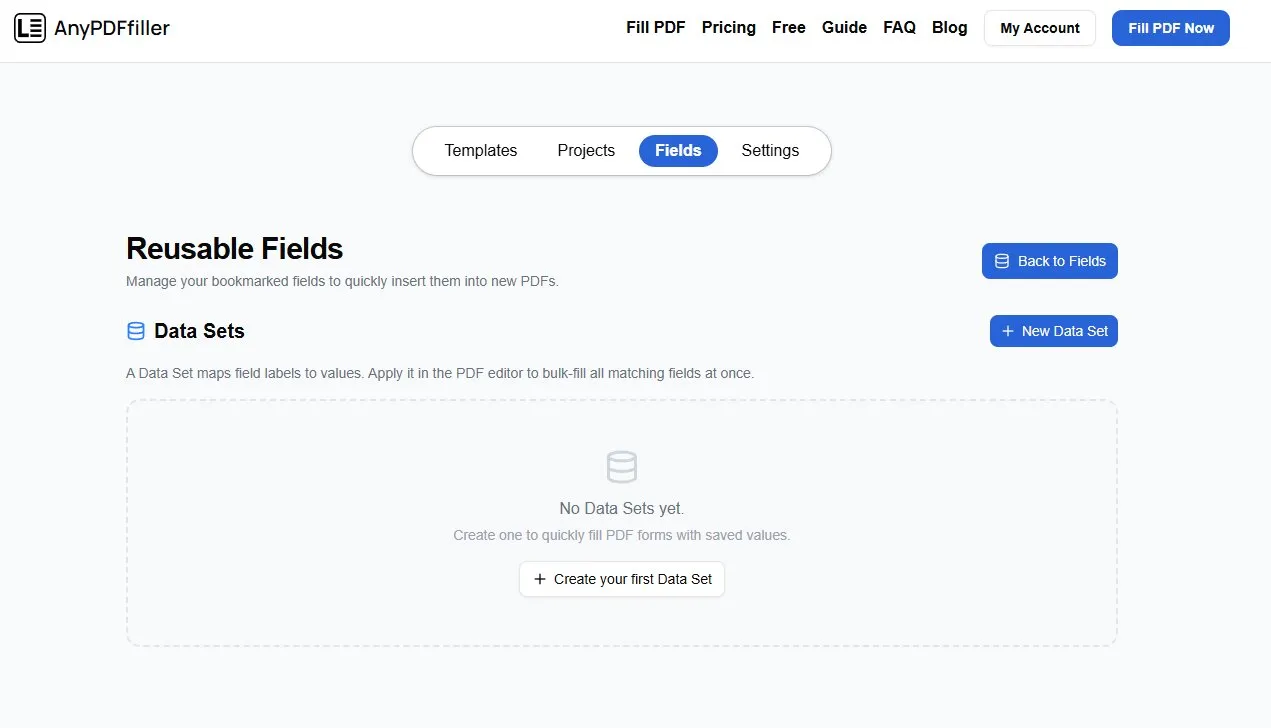
On this page you can manage your data sets. Press + New Data Set to create a new Data set.
- Fill out the data for your data set. The Field names need to be exactly the same labels as the ones which are going to be present in the PDF files.
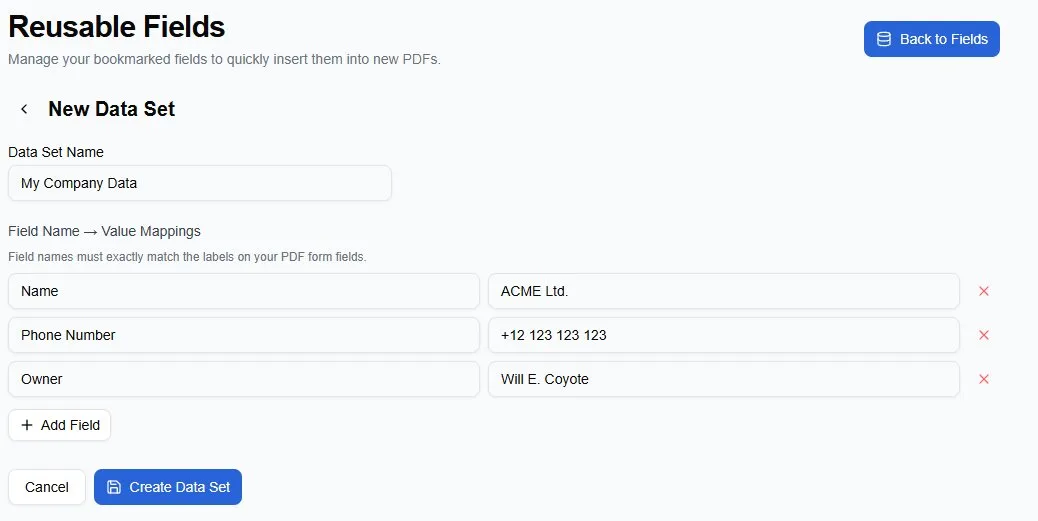
After you have configured all field names and values, press the Create Data Set button. Your data set is now created and is ready to be used!
How to use the data set?
- Start working on your PDF form project. Create text fields with exactly the same names as the ones within your data set.
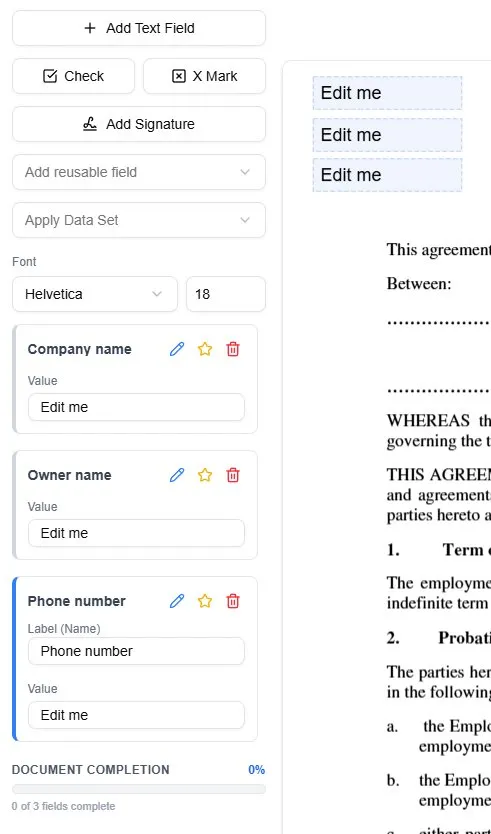
-
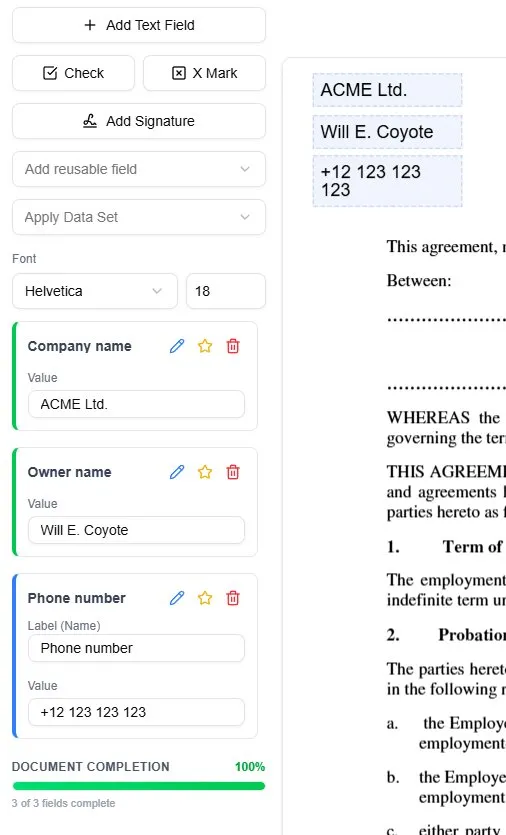
Click on the Apply Data Set dropdown and select your Data set. A confirmation modal will be displayed, informing you that the current data within your fields will be overwritten by the data from the Data set. Press Apply to continue.
-
Your data from the Data set will be entered withn the created fields. This eliminates the need for repetetive data input across many fields.
Ready to start filling your PDFs?
Fill out PDF documents like a pro in minutes - no premium account needed.