
Reusable fields
Learn how to utilize reusable fields in your PDFs.
Reusable fields are pre-configured text fields that you can reuse across many different projects.
When to use reusable fields?
When you have some data that is repeated across many different forms. This can be for example: first and last name, employee name, addresss, etc. You don’t have to type in this data over and over again - with AnyPDFFiller Premium account, it’s very easy to simplify this process.
How to create a reusable field.
- During PDF creation, configure your field with the proper label and default value. Then, press the star icon to promote that field to a reusable field.

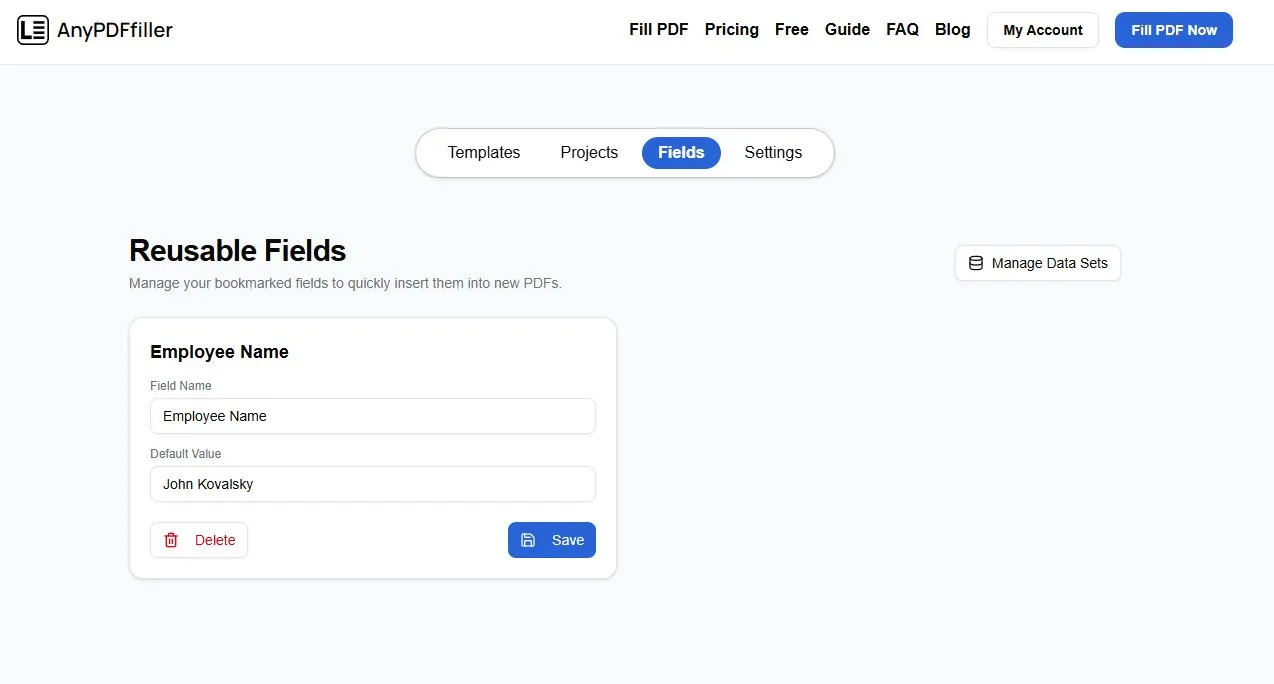
- You can see your reusable fields in the settings page.
Fields should be also now visible in the PDF Filler page, just below the Add Signature button.
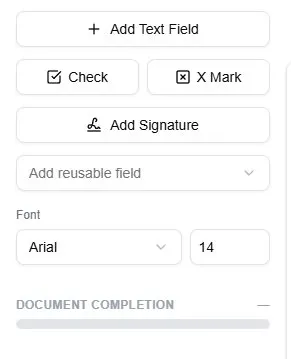
Adding reusable field to form
- On the PDFFiller page, press on the reusable field selection dropdown. Select the field that you would like to add to the current document.
The reusable field should now be in placement state. Select a place in the document where you would like to add it and secure the placement with left mouse click.
- The reusable field will be added to the document with the default value that you determined when you first created the field.
Modifying the reusable fields.
-
Access the reusable fields settings page. You can find the page under My Account and Fields tab.
-
On the Fields settings page you will find all of your reusable fields. You can modify them here as you see fit. After making modifications to a particular field, press Save button to update it. You can also delete the fields by clicking on the Delete button.
Ready to start filling your PDFs?
Fill out PDF documents like a pro in minutes - no premium account needed.